S3 storage classes explained: which one for which file
The class names tell you nothing about when to use them. Underneath they differ along three axes, and once you see those the choice takes ten seconds.
Every object in S3-compatible storage sits in a storage class. Most people never change it from the default, which is usually right — and occasionally expensive.
The names are unhelpful. "Standard-IA", "Glacier Instant Retrieval", "Deep Archive" tell you nothing about when to pick one. Underneath they vary along just three axes, and once you see those, choosing takes about ten seconds.
The three things that actually differ
- Storage cost — what you pay per GB per month just to keep the bytes. This is what the colder classes reduce.
- Retrieval cost — what you pay to read the data back. This is what the colder classes increase, and it is where the surprises live.
- Retrieval time — how long until you can actually use the file. Milliseconds for the warm classes, up to twelve hours for the coldest.
Colder classes trade the second and third against the first. The whole decision is a single question: how likely am I to read this, and how soon would I need it?
The classes, in plain terms
| Class | In practice | Use it for |
|---|---|---|
| Standard | Costs the most to store, nothing extra to read, instantly available. | Anything in active use. Website assets, current project files, anything read more than about once a month. |
| Standard-IA Infrequent Access |
Cheaper to store, but you pay per GB retrieved and there is a 30-day minimum billing period per object. | Files you need instantly but rarely read — last quarter's deliverables, backups you hope never to open. |
| One Zone-IA | Like Standard-IA, slightly cheaper, stored in one data centre instead of several. | Only data you could regenerate. A lost data centre means lost objects. |
| Intelligent-Tiering | Moves objects between tiers automatically based on access, for a small monitoring fee per object. | Large collections with unpredictable access. Bad for many tiny files — the per-object fee dominates. |
| Glacier Instant Retrieval | Archive pricing, still available in milliseconds. Higher retrieval cost, 90-day minimum. | Archives you must be able to open immediately when asked — medical images, compliance records. |
| Glacier Flexible Retrieval | Much cheaper to store. Retrieval takes minutes to hours and must be requested first. | Genuine archives. Finished projects, old footage, yearly backups. |
| Deep Archive | The cheapest storage available. Retrieval takes up to twelve hours. 180-day minimum. | Data you keep for legal reasons and expect never to read. |
The minimum duration trap
This is the one that produces surprise bills, and it is not obvious from the pricing page.
Colder classes bill each object for a minimum period regardless of how long you actually keep it. Standard-IA has a 30-day minimum, Glacier classes 90 days, Deep Archive 180 days. Delete an object after a week and you are still billed for the rest of the minimum.
What this means: moving short-lived files to a cold class can cost more than leaving them in Standard. If an object will not survive the minimum period, the colder class is simply a worse deal.
There is a second trap with small files. The IA and Glacier classes bill a minimum object size — typically 128 KB — so a 4 KB file is charged as though it were 128 KB. Archiving a million thumbnails to save on storage can increase the bill.
A decision you can make in ten seconds
- Will I read this in the next month? → Standard. Stop here.
- Might I need it instantly, but probably won't touch it? → Standard-IA, as long as the object is over ~128 KB and will live at least 30 days.
- Is it an archive I could wait hours for? → Glacier Flexible Retrieval.
- Am I keeping this purely because I am required to? → Deep Archive.
- Do I genuinely not know? → Intelligent-Tiering, but only for files large enough that the monitoring fee is noise.
A worked example
A photographer finishing a wedding shoot has three kinds of file:
- The delivered gallery — the client will download it over the next few weeks. Standard.
- The edited masters — probably never needed again, but if the client asks for a reprint in two years it must be there. Standard-IA, or Glacier Instant Retrieval if reprints are rare.
- The raw camera files — 400 GB, kept only in case of a re-edit, and waiting a few hours would be fine. Glacier Flexible Retrieval.
Same shoot, three different answers, driven entirely by how likely each is to be read.
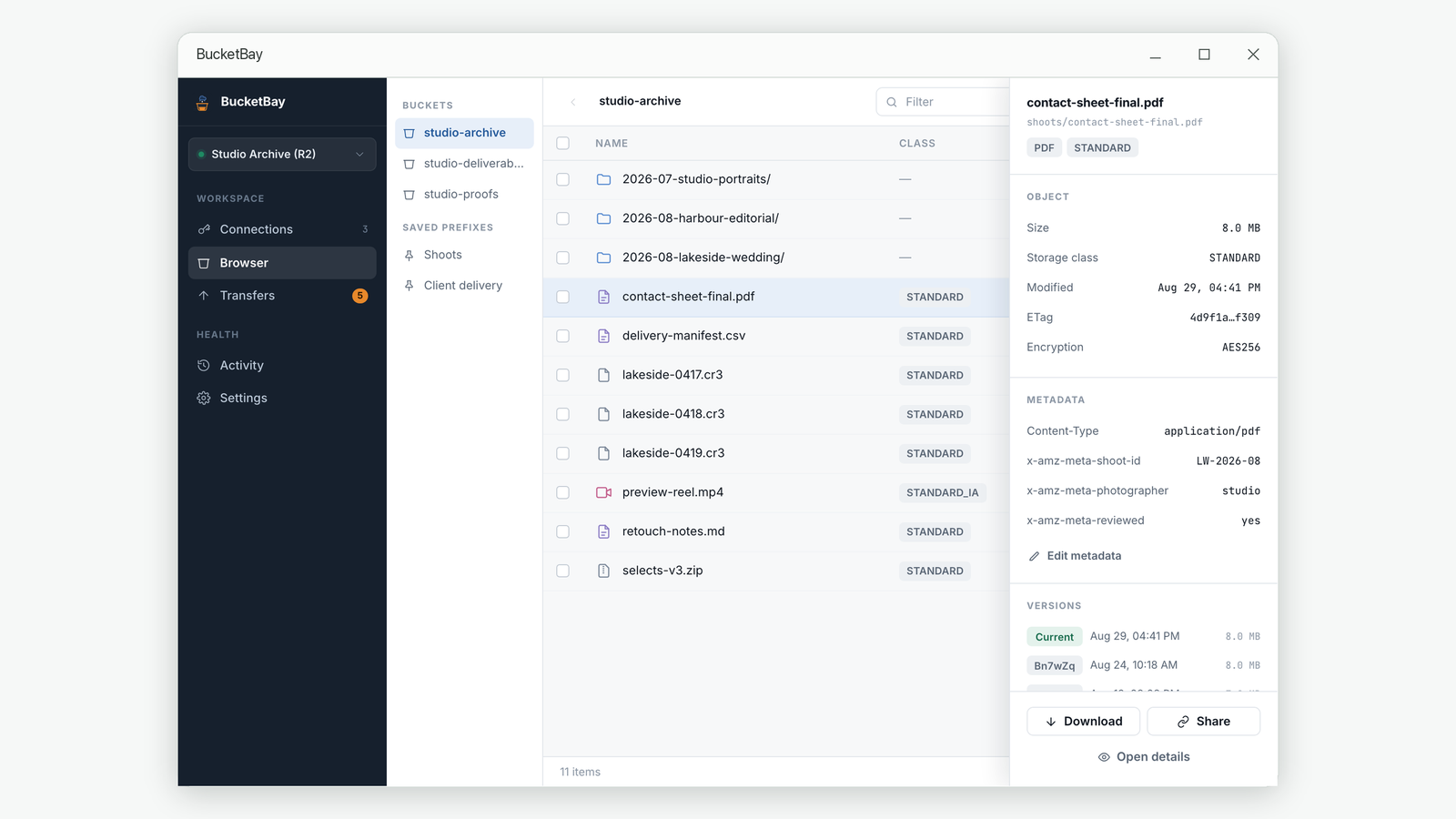
Changing the class of something already stored
You can move an existing object to a different class. Two things to know first.
It is a copy operation. Changing a class rewrites the object, which counts as a request and, coming out of a cold class, a retrieval. Moving a large archive back to Standard can cost real money in retrieval fees — check before doing it in bulk.
Lifecycle rules do this better at scale. Every provider supports rules like "move to IA after 30 days, Glacier after 90". Setting that once beats remembering to do it by hand, and it applies to future objects automatically. Change classes manually for the occasional file; use lifecycle rules for anything systematic.
If you are not on AWS
Compatible providers implement a subset, and the names can map differently:
- Cloudflare R2 — Standard and Infrequent Access only. No Glacier equivalent. R2's pitch is zero egress fees rather than tiering.
- Backblaze B2 — a single storage class. Nothing to choose.
- Wasabi — a single class, with a 90-day minimum retention applying to everything.
- MinIO and self-hosted — accepts the class field and generally ignores it, since your own hardware has no tiers.
So if a client offers the full AWS list against an R2 or B2 bucket, most of those options will be refused by the server. That is the provider being honest, not the client malfunctioning.
Common questions
What is the cheapest S3 storage class?
Deep Archive has the lowest storage price, but retrieval takes up to twelve hours, costs the most per GB to read, and bills a 180-day minimum per object. It is cheapest only for data you genuinely never read.
Does changing an object's storage class cost anything?
Yes. It is performed as a copy, so it counts as a request, and moving data out of a cold class also incurs retrieval charges. Changing one file is negligible; changing a large archive in bulk is not.
Why did moving files to Infrequent Access make my bill go up?
Most likely the minimum duration or minimum object size. IA bills each object for at least 30 days and charges small files as though they were 128 KB, so short-lived or tiny objects cost more there than in Standard.
Do Cloudflare R2 and Backblaze B2 have storage classes?
R2 has Standard and Infrequent Access. B2 has a single class. Neither offers Glacier-style tiers, so the archive class names from AWS do not apply.
Should I use lifecycle rules or change classes by hand?
Lifecycle rules for anything systematic — they run automatically and cover future objects too. Change by hand only for occasional one-off files.
Related guides
- Why large uploads to cloud storage fail, and how resuming actually works
- How to share a file from cloud storage without giving away your keys
About BucketBay. BucketBay is a desktop app for S3-compatible object storage — Amazon S3, Cloudflare R2, MinIO, Backblaze B2, Wasabi and anything else that speaks the protocol. It does the things described above without a browser tab or a command line. View it in the Microsoft Store.